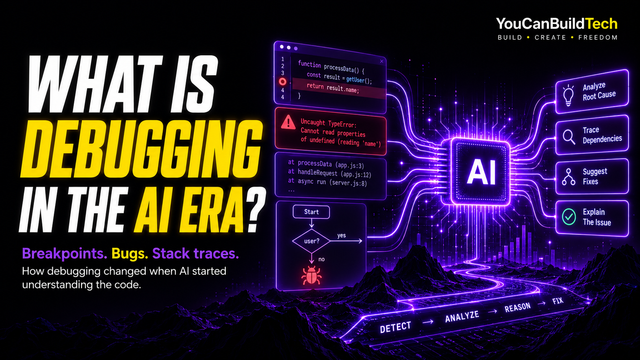
You might have heard a lot about debugging and that it is one of those things you absolutely need to learn if you want to become a coder — or even a vibe coder.
Traditionally, that was true. Debugging was one of the fundamental skills of software development. You wrote code, something went wrong, and then you had to investigate your own code to figure out what was causing the problem.
But here is the thing: in the modern era, debugging is becoming something conceptually different.
When you work with a capable coding agent such as Codex, Claude, or another agent that understands your whole project, a huge amount of traditional code-level debugging can be performed by the agent itself. It can search the project, inspect functions, follow data, read errors, and find where something went wrong without you manually tracing every line.
In our experience, the overwhelming majority of that lower-level debugging work has effectively moved to the coding agent.
That does not mean debugging has disappeared. The human part has moved upward. Increasingly, your job is to recognize exactly what is wrong, describe exactly what happened, and explain exactly what you wanted instead.
And sometimes the bug is not something you wrote wrong in the code.
Sometimes it is something you said wrong.
What Is Debugging?
At its simplest, debugging is the process of finding out why software is not behaving the way it should and correcting the problem.
A bug can be obvious. A page might not load. An application might crash. A button might do nothing when you click it.
But bugs can also be subtle. The application may run perfectly while producing the wrong result. A setting might appear to save but disappear after restarting the app. A user interface might look correct on desktop but overlap on mobile. Everything might work until one particular sequence suddenly breaks something.
Traditionally, figuring out why could mean examining source code, reproducing the problem, studying console errors and logs, reading a stack trace, inspecting variables, setting breakpoints, stepping through functions, and eventually finding the root cause.
Those concepts still exist. It is worth knowing what they mean even if you never become an expert in manually using all of them.
What Do Bugs Actually Look Like?
For someone who has never programmed before, the word bug can sound more mysterious than it really is.
Usually, the programmer first notices that something is wrong. The page does not appear. The answer is incorrect. A button suddenly stops working. Everything was fine until the user did one particular thing.
Here are three traditional examples.
Bug Example 1: The Page Does Not Load
Imagine a website that loads a user's account information from a server. The programmer refreshes the page expecting to see a profile, but the profile area is blank.
The browser console shows:
Uncaught TypeError: Cannot read properties of undefined (reading 'name')
    at renderProfile (profile.js:14)
    at loadProfile (profile.js:8)
The relevant JavaScript might look like this:
async function loadProfile(userId) {
    const response = await fetch(`/api/users/${userId}`);
    const data = await response.json();

    renderProfile(data.user);
}

function renderProfile(user) {
    const profile = document.querySelector("#profile");

    profile.innerHTML = `
        <h2>${user.name}</h2>
        <p>${user.email}</p>
    `;
}
The server actually returned:
{
    "name": "Jordan",
    "email": "jordan@example.com"
}
The faulty line is:
renderProfile(data.user);
It should have been:
renderProfile(data);
The code expects data.user to exist, but there is no user object inside the returned data. renderProfile() receives undefined, and JavaScript throws an error when it tries to read user.name.
This is classic old-school debugging. The programmer sees the symptom — the profile does not appear — and uses the console error and stack trace as clues until they find the wrong assumption in the code.
The process starts with a simple question:
The page does not load. Why?
Bug Example 2: Everything Works, but the Output Is Wrong
Not every bug produces an error message.
Imagine a checkout where a customer buys two products costing $50 each. The cart works, the checkout loads, and there are no red console errors.
But the page displays:
Order total: $150The correct answer should be $100.
The function might look like this:
function calculateOrderTotal(items) {
    let subtotal = 0;

    for (const item of items) {
        subtotal += item.price * item.quantity;
    }

    const shipping = 50;
    const total = subtotal + shipping;

    return total;
}
The faulty logic is:
const total = subtotal + shipping;
For this store, shipping was supposed to be free.
Nothing about the JavaScript is invalid. The program has not crashed, and there may be no warning at all.
The computer is doing exactly what the programmer told it to do.
It was simply told to do the wrong thing.
This is a logic bug. Traditional debugging was never only about red error messages. Programmers also had to recognize when the result itself was wrong.
Bug Example 3: Everything Is Fine... Until You Do This
Some bugs are harder because the application appears completely normal most of the time.
Imagine a business application with a customer record screen. A user opens a customer, changes the information and presses Save. It works.
Then somebody discovers another sequence: open the customer, make a change, leave without saving, return to the screen, and press Save.
Now nothing happens.
The console shows:
TypeError: Cannot set properties of null (setting 'name')
    at saveCustomer (customer.js:31)
    at handleSave (customer.js:42)
The relevant code might look like this:
let currentCustomer = null;

function openCustomer(customer) {
    currentCustomer = customer;

    document.querySelector("#name").value = customer.name;
    document.querySelector("#email").value = customer.email;
}

function leaveCustomerScreen() {
    currentCustomer = null;
    showDashboard();
}

function returnToCustomerScreen() {
    showCustomerScreen();
}

function saveCustomer() {
    const name = document.querySelector("#name").value;
    const email = document.querySelector("#email").value;

    currentCustomer.name = name;
    currentCustomer.email = email;

    updateCustomer(currentCustomer);
}
The program finally fails here:
currentCustomer.name = name;
currentCustomer.email = email;
But the actual problem began earlier:
currentCustomer = null;
When the user left the screen, the application cleared the selected customer. When they returned, the screen appeared again, but the customer object behind it was never restored.
The important discovery is the sequence:
Open customer → leave screen → return → press Save.
Traditionally, a programmer might reproduce those steps, add logging, set a breakpoint, inspect currentCustomer, and find exactly when it became null.
This is why reproducing a bug has always been such an important debugging skill. “The Save button sometimes doesn't work” is vague. “It fails after I leave the customer screen, return, and press Save” gives you something concrete to investigate.
That principle has become even more useful in the AI era.
The Traditional Debugging Vocabulary
If you spend time around programmers, you will hear a number of terms associated with debugging.
A debugger is a tool that lets a programmer inspect software while it is running. A breakpoint pauses the program at a particular point so you can see what is happening. A stack trace shows the sequence of functions that led to an error. Logs are messages generated by the program, while the console is one of the places developers see those messages, warnings and errors.
You may also hear about syntax errors, runtime errors, exceptions, logic bugs, crashes, regressions, and root causes. A syntax error means the code cannot be interpreted correctly. A runtime error happens while the software is running. A logic bug produces a valid but incorrect result. A regression happens when a new change breaks something that previously worked.
You should know that these things exist. But that does not mean you need to spend months mastering all of them before you can build software with AI.
Debugging Used to Mean Investigating the Code Yourself
Traditional debugging could consume a huge amount of a programmer's time. Something went wrong, so the developer had to reproduce the error, inspect logs, find the relevant code, add temporary logging, set breakpoints, inspect variables, and gradually narrow down the problem.
The goal was to move from the visible symptom to the underlying root cause.
If clicking a button crashed an application, the button itself might be fine. The actual cause could be several functions later, where a missing value causes something else to fail.
Historically, the programmer had to discover that chain.
The Good Bug and the Bad Bug
There is something else about traditional debugging that we think has been lost in the AI era.
When we were programming back in 2013, debugging was often part of learning the programming language itself. You wrote something, it failed, and then you spent twenty minutes, an hour, or sometimes much longer figuring out why.
Sometimes that was incredibly valuable.
We could call this the good bug.
Maybe you misunderstood how a function worked. You did not understand scope. You made the wrong assumption about an object or variable. Eventually you found the problem, fixed it, and understood the language better than you did an hour earlier.
There was also a genuine dopamine hit when it finally worked. That moment when a program had been broken for an hour and then suddenly did exactly what you wanted was part of programming.
But there was also the bad bug: forty minutes wasted because of a typo, a missing character, the wrong file path, or some tiny mistake that taught you almost nothing.
Modern coding agents are very good at removing both.
That is an enormous productivity improvement, but it changes the learning experience. If Codex finds the wrong variable, fixes the function and verifies the result in seconds, you may never need to understand exactly what went wrong.
For a vibe coder, that may be completely fine. But AI has started to separate fixing the bug from learning why the bug existed.
If you want the learning experience, you may now have to choose it. Ask the agent what caused the problem. Ask why the fix works. Look at the changed code.
Otherwise, you can simply continue building.
Coding Agents Changed the Investigation
A few years ago, AI-assisted coding often meant copying a piece of code into a chat window. If you showed the AI one function, it knew about that function. If the real problem existed somewhere else in a 20,000-line project, you had to figure out what additional context to provide.
Modern coding agents can work across the project itself. They can search the repository, inspect related files, follow function calls, examine configuration, read console output, trace state, and make coordinated changes across the codebase.
In our experience, this means that the overwhelming majority of traditional code investigation can now be delegated to the coding agent.
This is where we think the meaning of debugging begins to change.
Modern Debugging Is Learning to Say Specifically What Is Wrong
If we had to reduce modern debugging to one skill for an AI-assisted builder, it would probably be this:
Telling an agent, “Fix this,” gives it very little useful information. “The menu is broken” is slightly better, but still leaves a lot open to interpretation.
Compare that with:
On mobile, when I open the navigation menu, it covers the page heading. The menu should open beneath the header without overlapping the heading.
That tells the agent where the problem happens, what triggers it, what the result is, and what should happen instead.
Or:
When I select a new theme, the preview changes correctly. After I refresh the page, it returns to the default theme. I want the selected theme to remain saved.
You may have no idea whether the problem is in frontend state, local storage, an API route, the backend or a database.
That is fine. The agent can investigate that.
Your job is increasingly to describe the behavior clearly enough that the agent knows what to investigate.
What Happened, and What Should Have Happened?
A useful modern bug report usually contains four pieces of information: what you did, what happened, what you expected to happen instead, and where or when the difference appears.
- 1What you did
- 2What happened
- 3What you expected
- 4Where or when
Compare:
The Save button doesn't work.
with:
If I open an existing project, change the title and press Save, it works. If I go to Preview, return to the editor and then press Save, nothing happens. The project should save normally in both cases.
The second description gives the coding agent a reproducible condition. Once you can describe the problem precisely, the agent can usually take over the technical investigation.
Narrow Down When the Problem Happens
Another useful skill is narrowing the conditions that cause the problem.
“The app crashes” tells you very little. “The app crashes only when I upload a large image on Android” tells you much more.
Does it happen only on mobile? Only after restarting? Only for one account? Only after a particular sequence? Does it work in one browser but not another?
You do not need to know why yet. You are just narrowing the problem.
One of the Best Questions: What Changed?
If something worked before and suddenly stopped working, one of the oldest debugging questions is still one of the best:
What changed?
Maybe you added a feature, changed a setting, updated a package, or changed something that seemed unrelated.
This is where Git becomes useful. Git keeps a history of changes, and a diff shows what changed between two versions.
A coding agent can often inspect that history itself:
This worked before the last change. Check what changed and find what caused it to stop working.
That can narrow the investigation very quickly.
Do Not Guess the Cause Unless You Know It
Suppose a button does nothing.
You might tell the agent:
The event listener is broken. Fix it.
But perhaps the event listener is fine. Another element may be covering the button. The click may work while the server request fails. The server may respond correctly while the screen fails to update.
By confidently diagnosing the wrong cause, you can point the agent in the wrong direction.
A better report is:
Clicking the Save button produces no visible result. It worked before the previous change. It should save the project and show the confirmation.
Tell the agent what you know. Let it investigate what you do not know.
Not Every Problem Is Actually a Bug
Sometimes the software is doing exactly what it was told to do.
The problem is that what it was told to do was wrong.
Maybe you changed your mind about how a feature should behave. Maybe the plan was unclear. Maybe two parts of the specification contradict each other.
Before changing code, it can be useful to ask:
A coding agent can correctly implement a bad instruction.
The code works.
The idea does not.
Sometimes the Code Is Fine
A problem can also look like a bug even when the source code itself is fine.
Something might work on your computer but fail after deployment. It might work on desktop but fail on a phone. A file may be missing from the build. An environment variable might not be set. A dependency might be a different version.
You may hear these described as environment, build, configuration, dependency, or deployment problems.
For the AI-assisted builder, the useful observation may simply be:
It works locally, but fails after deployment.
or:
It works on desktop, but not in the Android build.
That gives the coding agent somewhere more specific to look.
Sometimes the Bug Is Something You Said Wrong
This is where debugging in the modern era becomes much more interesting.
When programmers wrote the implementation themselves, a large part of debugging involved finding something they wrote wrong.
When a coding agent writes the implementation, sometimes the mistake is something you said wrong.
Maybe you explained a feature badly. Maybe you left something ambiguous. Maybe you described one approach in your project instructions and later asked for another without realizing they conflicted. Maybe your AGENTS.md file says one system controls something while another instruction says something else should control it.
The agent may not have misunderstood you. It may have implemented exactly what you asked for.
The problem is that what you asked for was contradictory, incomplete, or simply different from what you had pictured in your head.
That turns part of debugging into a human communication problem.
Debugging Your Instructions
When something behaves strangely, one of the questions we increasingly ask is not just, “Which function is wrong?”
We ask whether the instructions are wrong.
Did we describe the behavior clearly? Is there an old instruction sitting in AGENTS.md? Did we tell the agent two different things? Did we explain the normal case but forget an edge case?
Sometimes changing the code fixes the symptom while changing the specification fixes the real problem.
That is another kind of debugging:
debugging the instructions themselves.
Sometimes You Are Debugging the Design
The idea goes even deeper.
Sometimes the problem is not the syntax, the code or even one bad instruction. Two ideas inside the product simply conflict.
One system may save changes immediately while another assumes the user must press Save. One screen may treat a setting as belonging to the whole account while another treats it as belonging to one project. The frontend may expect data one way while the backend is designed around another.
Both systems may work exactly as designed.
They simply do not work together.
At that point, debugging starts to become a design and architecture question. You are debugging assumptions, relationships, ownership and behavior.
The coding agent may be perfectly capable of implementing Approach A and Approach B.
The problem is that you asked it to implement both.
The Better the Plan, the Fewer Real Bugs We See
This leads to one of our strongest opinions about AI-assisted programming.
In a well-planned project using a good coding agent, genuinely mysterious code-level bugs have become surprisingly rare in our experience.
We do not mean software can never have bugs. Of course it can.
We mean that the classic picture of programming — constantly fighting broken syntax, mysterious functions and endless crashes — increasingly does not resemble how our better-planned AI projects actually develop.
Most of the problems we encounter now are understandable. An instruction was unclear. A requirement changed. Two systems had different assumptions. We missed an edge case. Something looked wrong and needed adjusting.
Those are problems, but they often do not feel like the mysterious bugs people traditionally associate with programming.
Our MP3 Player Was a Good Example
Our MP3 player project is a good example.
It is not a tiny application. It contains music-library behavior, playback systems, multiple player interfaces, metadata handling, persistent state, visualizers, playlists, favorites, queue behavior, sorting, search and many interconnected features.
Despite that, the project has been remarkably smooth from a debugging perspective. When something did not behave as intended, the problem was usually understandable and easy to describe.
We believe a major reason is that we had already spent a lot of time deciding what the MP3 player actually was before asking the coding agent to implement it.
We had thought through how playback should behave, what should persist, what should not be stored, what different player interfaces could change, what systems should remain shared, and where the boundaries of the product were.
The code came after the concept.
We Have Seen the Same Thing Beyond 40,000 Lines of Code
We have seen the same pattern in even larger projects.
We have worked on SaaS-level software containing more than 40,000 lines of code where serious bugs were surprisingly rare. The size of the codebase did not automatically create chaos because the agent had a coherent architecture and a carefully defined concept to work from.
That experience changed how we think about AI coding.
Forty thousand lines implementing a coherent system can be easier to work with than five thousand lines implementing a confused one.
The quality of the concept matters. The architecture matters. The relationships between systems matter.
And meticulous planning matters.
Most Bugs Begin Before the Code
We increasingly think many software problems begin before the faulty code is written.
They begin when nobody has decided which system controls something, when a feature has only been described superficially, when two parts of the application have overlapping responsibilities, or when the expected result exists in the builder's head but has never actually been explained.
Eventually the coding agent reaches that missing decision and has to make a choice.
Sometimes it makes the choice you wanted. Sometimes it makes another perfectly reasonable choice.
If you never told it which one was correct, that is not necessarily an AI coding failure.
It may be a planning failure.
Why We Plan the Whole Concept
This is also why our approach differs from some traditional software-development advice.
We do not automatically believe every application needs to be built as an endless sequence of tiny milestones where the agent only sees the next miniature task.
Milestones can obviously be useful. But modern coding agents benefit enormously from understanding the whole concept.
Before building, we prefer to think about what the finished product should be, what its major systems are, how they relate, what should be configurable, what should stay fixed, and what important edge cases exist.
Once the concept is coherent, we are often comfortable letting the agent implement substantial parts of it relatively quickly.
The important thing is not making every coding step tiny.
Planning Files Matter
Files such as AGENTS.md, architecture documents, feature specifications and project notes can help keep that destination clear.
A good project instruction file can tell the coding agent how important systems should behave, what should stay consistent, what should not be changed, and what is intentionally outside the scope of the project.
The goal is not to create thousands of rules. Too many rules can create their own conflicts.
The goal is clarity.
Fix the Problem, Not Half the Project
Coding agents can change huge amounts of code very quickly.
That does not mean they should.
If one button is broken, the entire navigation system probably does not need to be rebuilt.
A useful instruction can be:
Find the root cause and make the smallest reasonable fix. Do not rewrite unrelated systems unless there is a real reason.
Sometimes the investigation really will reveal an architectural problem. But if the problem is small, the fix can usually stay small too.
A Fix Can Cause Another Bug
Fixing one problem can also break something that used to work.
That is called a regression.
You fix the mobile menu and suddenly the desktop menu breaks. The first bug is gone, but the software is not really fixed.
This is where testing comes in. A coding agent can rerun the behavior that originally failed, check related features, or run an automated test.
The basic distinction is enough:
Debugging finds and fixes the problem. Testing checks that the fix really worked.
Modern Debugging Requires Software Literacy
If you no longer need to manually trace every function yourself, what should you actually learn?
We think one of the most important skills is software literacy: understanding what the different parts of software are so you can recognize where a problem appears and communicate it accurately.
You do not necessarily need to know how to build every component manually.
But you should know what you are looking at.
Learn the Parts of a Web Page
Take a website.
You should be able to identify a heading, paragraph, button, navigation menu, header, footer, image, form, background, and content section.
You should understand that these elements have positions and sizes. They can sit above or beneath other elements, overlap, or be pushed outside the visible screen.
On the web, you will encounter words such as CSS, margin, padding, responsive design, viewport, and z-index.
You do not need to memorize every CSS property.
But this:
The mobile navigation is overlapping the heading.
is much more useful than:
The top looks weird.
Knowing what you are looking at helps you say what is wrong.
Learn What Frontend and Backend Mean
You should also understand the basic difference between the frontend and the backend.
The frontend is generally the part the user sees and interacts with: screens, forms, buttons, menus, text and images.
The backend handles things behind the interface, such as databases, accounts, business logic, storage, APIs, and communication with other services.
A server can receive a request from the frontend, get information from a database and send it back.
If information never appears on the screen, the problem might be in the frontend, the request, the server, or the database.
You do not need to manually fix all of those layers. You just need to understand that they exist.
Learn to See an App as Parts
The same idea applies to mobile apps, desktop software, games and SaaS products.
Do not think of everything as one giant object called the app.
Look at the pieces.
There are screens, buttons, text, images, navigation, data, state, configuration, audio, animations, storage, APIs, databases and other systems depending on what you are building.
Visually, something can be above another element, underneath it, hidden behind it, clipped by it, or pushed outside the screen.
Internally, information can also live in different places. A setting might exist only while the app is running, be stored on the device, be saved in a database, or come from a server.
The more clearly you see these parts, the more clearly you can explain what is wrong.
Learn What State Is
One concept you will hear constantly is state.
State is basically what the application currently knows.
Which user is logged in? Which screen is open? Which items are in the cart? Which setting is selected? Has something been saved?
A lot of strange software behavior turns out to be a state problem.
You may not know how the state system is programmed, but you can still say:
The setting changes correctly, but after restarting the app it returns to the old value.
That is enough to give the agent somewhere to start.
Error Messages Are Still Valuable
None of this means you should ignore technical errors.
If the console shows 404 Not Found, 500 Internal Server Error, TypeError, ReferenceError, or another wall of red text, give it to the coding agent.
You may not understand the stack trace.
You do not necessarily need to.
A good beginner rule remains:
If something breaks and red text appears, show the red text to the agent.
The Agent Understands the Code. You Understand the Result.
There is an interesting division of labor emerging in AI-assisted software development.
The coding agent can read thousands of lines of code, search the repository, inspect functions and trace relationships that would take a human a long time to follow manually.
But the human understands something the agent does not automatically know:
what you actually wanted the product to be.
You know the button should save. You know the screen should not reset. You know the menu should not cover the heading. You can look at the product and know when the result does not match the idea.
The agent understands the implementation.
You understand the intention.
Modern debugging increasingly happens between those two things.
What Should a Vibe Coder Actually Learn?
We do not think AI means you should learn nothing about software.
We think the emphasis has changed.
A modern AI-assisted builder should understand the main parts of an application, basic frontend and backend concepts, servers, databases, APIs, state, interface components, positioning, console output and some basic software architecture.
You should know what a debugger is. You should know what a breakpoint does. You should broadly understand stack traces, logs, runtime errors, logic bugs and regressions.
You should learn how to reproduce a problem, narrow it down, ask what changed, provide useful error messages, and explain what happened compared with what should have happened.
But we do not believe every beginner needs to master manual breakpoint debugging or spend months tracing variables through source code before they can build useful software with a modern coding agent.
The more important practical skill is learning to see software clearly.
Debugging Has Moved Up a Level
Traditional debugging often began with the question:
Which line of code did I write wrong?
Modern debugging can begin with a different question:
What exactly is the software doing wrong, and what should it be doing instead?
From there, you might discover a normal programming bug. Or you might discover that your instruction was unclear, two ideas conflict, an edge case was never planned, the environment is different, or the agent implemented exactly what you asked for even though you later realized you asked for the wrong thing.
That is why, in our opinion, debugging in the modern era is partly technical investigation, partly design, partly architecture, partly communication, and partly planning.
A capable coding agent can search through a huge codebase much faster than we can. What it needs from us is clarity about the intended result.
So instead of saying:
Fix this.
Explain what you did, what happened, when it happened and what should have happened instead. Include the error when there is one. Explain how to reproduce the problem. Mention whether it worked before. Name the part of the interface or system if you know what it is.
Then let the coding agent investigate the implementation.
That, more than anything else, is what we think debugging is becoming in the modern era.